Contents
- 01Why “millimeters” are the heart of an ID photo
- 02Face-position figures for 9 major specs
- 03The international standard set by ICAO Doc 9303
- 044 reasons mm precision goes wrong
- 05How a ¥200 AI tool achieves 0.1mm precision
- 06Preview controls: vertical, horizontal and scale
- 07Recommended face-position values by spec
- 087 common “off by a few mm” cases
- 09A 7-point post-shoot mm-precision checklist
- 10FAQ
In Japan, sent back at the passport counter with “it doesn’t meet the spec,” asked to resubmit after My Number’s automatic check flags it “out of spec” — the root cause is almost always a face position that’s off by a few millimeters, a dimensional gap that’s hard to spot by eye.
This article organizes the official information from the Ministry of Foreign Affairs, the Digital Agency, the Immigration Services Agency and various embassies, and explains the face-position figures for 9 major specs, the ICAO international standard, and the concrete steps to align a home photo to 0.1mm precision. It lays out a path to a spec-compliant photo at less than half the price of a photo booth or studio: ¥200 to shoot + ¥30 for a konbini L-size print = ¥230 total.
Why “millimeters” are the heart of an ID photo
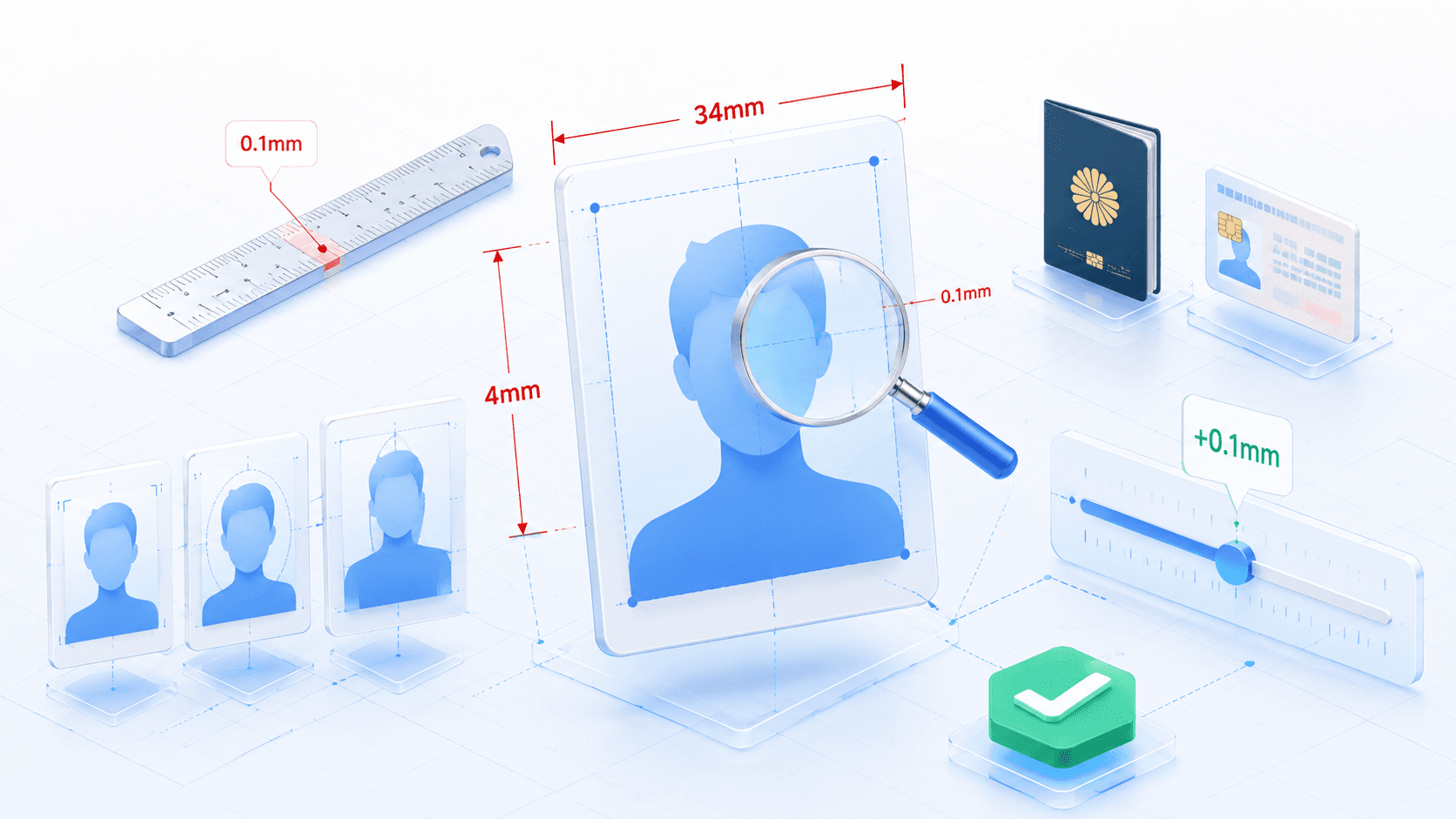
ID-photo specs aren’t about appearance; they are specifications of physical measurements that must withstand machine reading. The automated gates at immigration, the photo region of a My Number card, the printing on a driver’s license — all of them run on the premise of spec-compliant dimensions.
That’s exactly why a level of “looks about right to the human eye” doesn’t cut it. Passport centers keep transparent spec templates on hand for judging, and they physically check whether the face height spills outside the frame lines or the crown margin falls outside the designated range. For the online My Number card application on Mynaportal, an automatic dimension check runs at upload, and if the photo is judged out of spec, you get a notice asking you to resubmit.
I took an ID photo, but the center of the photo came out fairly off. (Off enough that you can tell at a glance.) I want to use it for job hunting — should I just reshoot it?
At the root of this question, too, is “a gap of a few millimeters.” If you align it to 0.1mm precision on screen after shooting, you incur neither the cost nor the time of a reshoot.
Face-position figures for 9 major specs
For the 9 official specs most in demand within Japan, here are the figures for photo size, face height and crown margin. Every figure has been verified against official sources.
| Passport | 35×45mm / face height 32–36mm / margin 2–6mm | Per Ministry of Foreign Affairs & ICAO Doc 9303 |
|---|---|---|
| My Number card | 35×45mm / face height 32–36mm / margin 2–6mm | My Number Card portal (same standard) |
| Residence card | 30×40mm / face height 32–36mm / margin 2–6mm | Immigration Services Agency |
| Schengen visa | 35×45mm / face height 32–36mm / margin 2–6mm | Per EU Regulation 810/2009 & ICAO 9303 |
| Driver’s license | 24×30mm / face height not specified | Police (face size operated as an “appropriate range”) |
| Resume / CV | 30×40mm / face height not specified | Ministry of Health, Labour and Welfare sample form (industry norm 24–28mm) |
| U.S. visa | 51×51mm (2×2 inch) / face height 25–35mm | U.S. Department of State (no glasses) |
| Chinese visa | 33×48mm / face height 28–33mm | Chinese Embassy & CVASC |
| Korean visa | 35×45mm / face height 25–35mm | Embassy of the Republic of Korea in Japan |
The international standard set by ICAO Doc 9303
The Doc 9303 “Machine Readable Travel Documents” issued by ICAO (the International Civil Aviation Organization) is the document that unifies the specs for passports and travel documents around the world. Japan’s passport, Schengen-area visas and many other international travel documents define the physical specifications of the face photo in accordance with this standard.
The reason Doc 9303 sets 32–36mm / 2–6mm is that the facial recognition at automated gates is premised on detecting facial feature points (eyes, nose, mouth) at fixed coordinates. Too large and the ears and chin tip run off the frame, making recognition impossible; too small and detection accuracy drops. The 4mm tolerance is a figure established to absorb differences in build, age and photographic equipment across countries.
4 reasons mm precision goes wrong
So why is it hard to produce a photo with mm precision at a photo booth, with a selfie, or at a studio? The causes boil down to the following four.
How a ¥200 AI tool achieves 0.1mm precision
Ramune AI ID Photo doesn’t demand precision at the shooting stage; instead, with a setup that does the 0.1mm adjustment on screen after the shot, it sidesteps all four causes at the root. For the shot, a single smartphone at home, in front of a white or pale-gray wall, is plenty.
- 1
Pick a spec and upload the photo
Select the one you need from more than 105 specs. The AI automatically holds the midpoint of the selected spec (for a passport, face height 34mm / margin 4mm) as the reference value.
- 2
The AI detects the face and body outline
A face-detection model acquires the coordinates of both eyes, the nose, the mouth, the chin tip and the crown, and a background-removal model cuts out the body outline pixel by pixel. Up to here it’s fully automatic and finishes within 5–10 seconds.
- 3
Provisionally place the face at the spec’s midpoint
The detected face coordinates are laid out automatically to match the selected spec’s midpoint (for a passport, face height 34mm / margin 4mm). At this point it’s already centered within the tolerance, and it’s not unusual for no further adjustment to be needed.
- 4
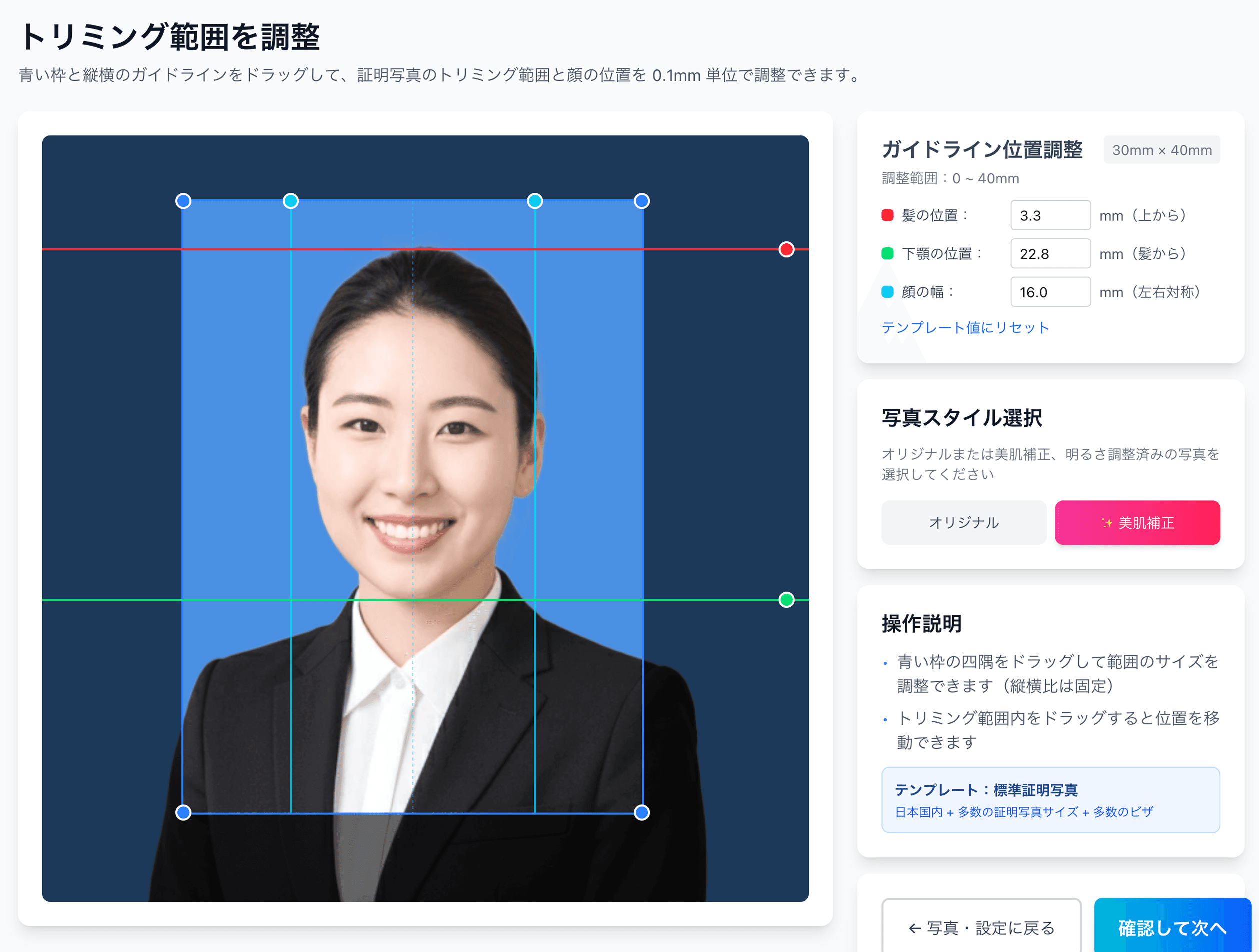
Fine-tune in 0.1mm increments on the preview screen
With the slider on the preview screen, you can specify where in the 2–6mm range to place the crown margin and where to align the face left-to-right, in 0.1mm steps. If you go outside the tolerance, the guide color turns red, so you can see visually which way to go back.
- 5
Reshoots are unlimited, before and after payment
If anything bothers you in the preview, you can re-upload a different photo. No extra charge applies even after the ¥200 payment, so you can adjust as many times as it takes to be satisfied. Unlike a photo booth, you can search for the optimal result without worrying about reshoot costs.
Align to every spec at 0.1mm precision — ¥200 to shoot + ¥30 to print = ¥230
For less than a single photo-booth reshoot (¥700–¥1,500), the mm-level adjustment is done on screen after the shot. Reshoots are unlimited before and after payment, and you can lock in the print data once you’re satisfied with the fine-tuning.
Create a 0.1mm-precision photo for ¥200Preview controls: vertical, horizontal and scale
On the preview screen you can adjust the face position independently along the following three axes. Moving one axis at a time to align to the tolerance midpoint is the most reliable procedure.
| Vertical (vertical slider) | Where in the 2–6mm range to place the crown margin | Midpoint of 4mm recommended |
|---|---|---|
| Horizontal (horizontal slider) | Where to place the face left-to-right relative to the photo center | Keeping the left and right margins symmetric is the baseline |
| Scale (zoom) | Where in the 32–36mm face-height range to set it | Midpoint of 34mm recommended |
Recommended face-position values by spec
For the 9 major specs, here are the midpoints (recommended values) that Ramune AI applies as initial values, alongside the spec’s tolerance range. If you’re unsure on the preview screen, simply adopting the recommended value first minimizes the chance of being rejected at the counter.
| Passport | Recommended face height 34mm / margin 4mm | Tolerance: 32–36mm / 2–6mm |
|---|---|---|
| My Number card | Recommended face height 34mm / margin 4mm | Tolerance: 32–36mm / 2–6mm |
| Residence card | Recommended face height 34mm / margin 4mm | Tolerance: 32–36mm / 2–6mm |
| Schengen visa | Recommended face height 34mm / margin 4mm | Tolerance: 32–36mm / 2–6mm |
| U.S. visa | Recommended face height 30mm (midpoint) | Tolerance: 25–35mm, no glasses |
| Chinese visa | Recommended face height 30.5mm (midpoint) | Tolerance: 28–33mm |
| Driver’s license | Keep an “appropriate face size” by screen proportion | No explicit mm figure |
| Resume / CV | Recommended face height 26mm (midpoint of the 24–28mm industry norm) | No explicit mm figure |
| Korean visa | Recommended face height 30mm (midpoint) | Tolerance: 25–35mm |
Ramune AI ID Photo applies these recommended values automatically when you select a spec. If you don’t change the values in the preview, the print data is locked in at the midpoint.
7 common “off by a few mm” cases
Here are 7 representative examples of the “off by a few mm” issues actually flagged at passport centers, My Number counters and visa application counters.
A 7-point post-shoot mm-precision checklist
Before you lock in the print data, be sure to check the following 7 items. If even one thing bothers you, you can make a 0.1mm-increment correction on the preview screen.
Align to the millimeter — ¥230, cheaper than a single photo-booth run
¥200 to shoot + ¥30 for a konbini L-size print = ¥230 total. The AI provisionally places the face at the spec’s midpoint, and you do the final 0.1mm fine-tuning on the preview screen. It’s cheaper than a single photo-booth reshoot (¥700–¥1,500), and reshoots are unlimited even after payment.
Create a 0.1mm-precision photo for ¥200Related links
- All 105 supported specs
- Passport spec details
- My Number spec details
- Residence card spec details
- 12 passport rejection patterns
- Why 80% of My Number photos fail
- 7 tips for a baby passport photo
- Convenience-store printing steps
- Pricing details — ¥200
FAQ
Does that “0.1mm precision” really hold up in the printed photo too?
I heard the main Japanese ID-photo specs have nearly the same face height and crown margin. Is that true?
A photo booth fixes the position by machine, so isn’t it accurate enough?
When I shoot at home and then tidy it up with AI, how precise does the initial shot need to be?
After I adjust by 0.1mm on screen, won’t the print come out slightly off?
Do passport centers and My Number counters really inspect down to the millimeter?
Do I need special photography equipment to achieve 0.1mm precision?
Can AI handle a unique standard like the Chinese visa’s 28–33mm face height too?
Even with millimeter-precise face positioning, can the file itself still get rejected for an online application?
Before the counter says “it’s not aligned to the millimeter” — get ahead of it for ¥230
¥200 to shoot + ¥30 for an L-size print. The midpoint of the spec, compliant with ICAO Doc 9303, is applied automatically, and only the final fine-tuning is done with a slider on screen. Reshoots are free, as many times as you like, even after payment.
Create one now (¥200)Facts in this article are verified against primary official sources before publication.