Civil Engineering Construction Management Engineer Exam Photo: Spec and How to Create It
Make an application photo for the Class-1/2 Doboku Seko exam that meets JCTC rules exactly — 4:3 ratio 35×45mm — from a smartphone shot, for ¥200.
- Pay after preview · refund guaranteed
- Matches the official spec (verified 2026-05-26)
- Print at any Japan conbini
| Dimensions | 45mm × 35mm | Height × Width |
|---|---|---|
| Face length | Not specified | |
| Top margin | Not specified | |
| Background | Plain background — white or light color recommended, no shadows, patterns, or gradients | |
| Shoot-by window | Taken within 6 months of application | |
| Official issuer | Japan Construction Training Center (JCTC) | 2026-05-26 |
View the official source ↗(Last verified: 2026-05-26)
Only photos taken within the last 6 months are valid — check when your current photo was taken.
Turn a phone shot into a photo that meets this exact spec. Preview the result first — then pay ¥200. Full refund if it's rejected.
Create with this specVerbatim official spec
Below is the verbatim official spec from the Doboku Seko exam guide published by the Japan Construction Training Center (JCTC), shown in the original Japanese. The same spec applies to both Class-1 and Class-2.
- 「正面上半身像の高さと幅の比率が概ね4:3」
- 「申請日から6ヵ月以内に撮影したもの(白黒でも可)」
- 「正面、無背景、鮮明であること(焦点が合っていること)」
- 「明るさやコントラストが適切で影のないもの」
- 「前髪で目元や輪郭が隠れていないこと / 眼鏡の光の反射やフレームが目にかかっていないこと」
- 「サングラスやマスク、帽子等を着用していないもの / 笑顔でないもの(歯が見えていないもの)」
Why this spec matters
Civil Engineering Construction Management Engineer (土木施工管理技士) is a national qualification under the Construction Business Act, covering roads, bridges, tunnels, rivers, and other infrastructure work. Roughly 30,000 candidates per year take Class-1 or Class-2 — many are working construction-site engineers. The application photo must follow the official spec: "upper-body portrait at roughly 4:3 ratio", "taken within 6 months of application (B&W allowed)", "front-facing, plain background, sharp focus", and "no smile (teeth not visible)" — otherwise the upload is rejected. Note: this is a different qualification from Building Construction Management Engineer Class-1/2 (administered by FCIP) — same Construction Business Act but different issuing bodies. The print size happens to be the same 35×45mm, but the submission systems differ, so check this page before reusing photos. JCTC also administers Pipe Construction Management Engineer, which shares the exact same photo spec.
Price & risk comparison
Preview free → pay only if you like it / full refund if rejected
No retakes — final on the spot
Booking & visit required
1–2 weeks lost
* Other prices are typical market estimates. With Ramune you pay only after seeing the result, with a full refund if the photo is rejected.
Preview your photo free firstHow to create it for ¥200
A spec-compliant Doboku Seko (Class-1/2) application photo takes about two minutes with a smartphone and ¥200.
- 1
Take the photo on your smartphone
Stand against a plain white or light-colored wall in a bright room. Face the camera directly — no hat, no mask/sunglasses, neutral expression (no visible teeth), eyes on the lens. Clear-lens glasses are okay but watch for reflections. - 2
AI removes background and resizes to 4:3 ratio 35×45mm
Upload the photo. AI removes the background, detects your face, and auto-crops to the JCTC spec (4:3 ratio, 35×45mm equivalent), with brightness and contrast adjusted appropriately. - 3
Get both a digital file and a convenience-store print QR
After payment, a QR code and 8-digit user number arrive by email. Download the digital file directly, and print L-size from ¥30 at 7-Eleven, FamilyMart, Lawson, Ministop, and Poplar nationwide.
Create a Spec-Compliant Doboku Seko Photo for ¥200
AI auto-adjusts your smartphone shot to 4:3 ratio 35×45mm with plain background and appropriate brightness, meeting JCTC rules. You get both the digital file and a QR code for convenience-store printing.
Create now — ¥200What Ramune AI ID Photo offers
Even for a tight spec like My Number, you can finish the entire shoot → process → print workflow in your browser.
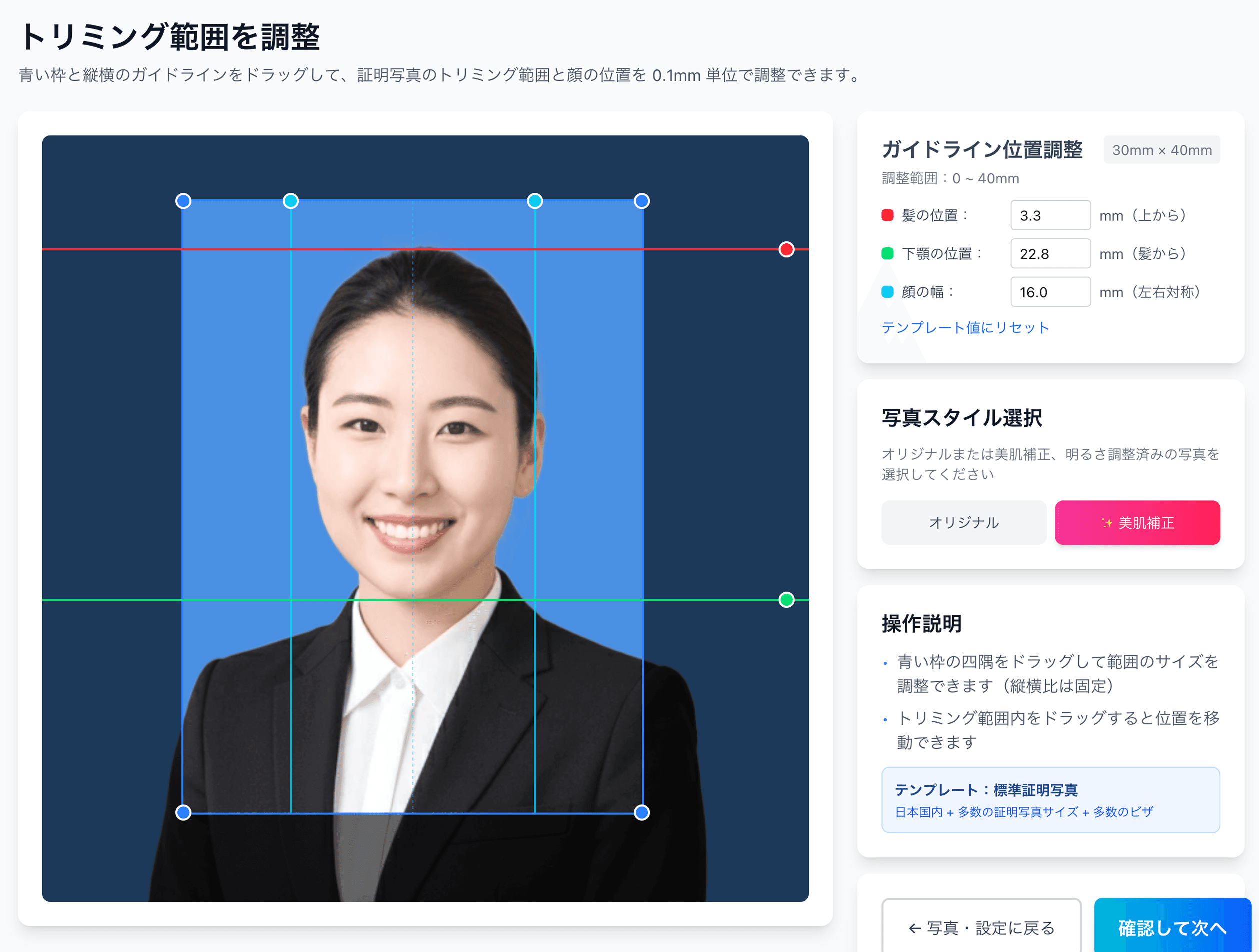
0.1mm face position adjustment
Drag the hairline, chin, and face-width guides — or type the millimetre value — to fit inside even a 4mm-wide regulatory window like the My Number spec.
Auto-generated L-size print sheet
Multiple photos optimally arranged on L-size paper with cut marks. Print directly at home or at a convenience store.
AI removes the background automatically
Walls or objects in the original shot are auto-removed; AI converts the photo to the plain background the spec requires.
AI skin smoothing with a natural finish
Auto-reduces blemishes and uneven tone while keeping a natural look. Choose between the original and the smoothed version.
Print at 55,000 convenience stores nationwide
Scan the QR code at the multi-copy machine in Lawson, FamilyMart, Ministop, or Poplar — L-size prints from ¥30. At 7-Eleven, register the image with netprint first.
5-language support, no app required
Japanese, English, Chinese, Korean, and Vietnamese — works entirely in your smartphone browser without installing an app.
Frequently asked questions
What are the online-application photo file requirements for the Civil Engineering Construction Manager exam?
Is the photo spec the same for Class-1 and Class-2?
Can I reuse my Kenchiku Seko (Building) photo?
B&W photos are allowed — does that put me at a disadvantage?
Does "no smile" include natural slight smiles?
Can I reuse the same photo for Pipe Construction Management?
What if my photo was the wrong size and got rejected?
Related content
Related blog
Japanese ID Photo Face Position: 0.1mm to Pass Any Spec
In Japan, passport, My Number and residence-card photos share a tight 4mm face tolerance (ICAO Doc 9303). Hit 0.1mm with AI for ¥200, print at a konbini.
Related spec
Grade 1 Building Construction Management Engineer
45mm × 35mm
Related spec
Grade 2 Building Construction Management Engineer
45mm × 35mm
Related spec
Electrical Construction Management Engineer
45mm × 35mm
Related spec
Plumbing Construction Management Engineer
45mm × 35mm
Create a Spec-Compliant Doboku Seko Photo for ¥200
AI auto-adjusts your smartphone shot to 4:3 ratio 35×45mm with plain background and appropriate brightness, meeting JCTC rules. You get both the digital file and a QR code for convenience-store printing.
Create now — ¥200