Contents
In Japan, applications for the 2026 takken (real estate transaction agent) exam are open right now: online until 23:59 on Friday, July 31, and by post until the July 15 postmark. Last year there were 306,099 applicants — and all 300,000-plus of them prepare their application photo within roughly this same one-month window.
A photo is not something you can just “swap out later.” If you can’t make the correction by the cooperating agency’s specified deadline, the whole application is rejected and you can’t sit the exam that year. The ¥8,200 fee is refunded if you’re not accepted, but your next chance is a year away. In this article, based on RETIO’s (the Real Estate Transaction Improvement Organization) official 2026 guidance, we lay out the photo specs for both the online and postal applications, plus how to get it all done on your phone.
The 2026 application schedule
| Online application | Wed, July 1, 9:30 – Fri, July 31, 23:59 | |
|---|---|---|
| Postal application | Wed, July 1 – Wed, July 15 | Postmarked by that day |
| Exam tickets mailed | Fri, October 2 (planned) | |
| Exam day | Sun, October 18, 13:00–15:00 | 13:10–15:00 for those exempt from 5 questions |
| Results announced | Wed, November 25 | |
| Exam fee | ¥8,200 | Non-refundable except when the application is not accepted |
Note that My Page is run on a single-year basis. The account of anyone who sat the exam last year was closed on March 31, 2026, so you’ll need to create a new My Page to apply this year.
The online application photo spec — note that it’s not “within six months”
The face-photo conditions required for the 2026 online application are as follows.
| Pixel count | At least 900px tall × at least 720px wide | |
|---|---|---|
| File format | JPG / PNG | HEIF is also accepted from Safari on iPhone |
| When it was taken | On or after January 1, 2026 | |
| Content | The applicant alone, no hat, facing forward, no background (including shadows) | |
| Color / black-and-white | Either is fine |
The system automatically adjusts the position and size of the face in the uploaded photo and unifies everything to JPG. In other words, you don’t need to do pixel-level fine-tuning yourself. The catch is that a photo the system judges it “cannot fully adjust” will error out. The official list of bad examples includes the following.
- Shadows, furniture, a car interior and the like appearing in the background
- The face ratio being extremely small, or extremely large
- Hair falling over the eyes, or glare on the lenses of glasses
- Anything that may have been edited with an app
- A finished photo re-shot with a camera, an overexposed shot, or a grainy image
If it errors out, the official guidance is to “retake the photo and upload a different one.” In other words, it comes down to the quality of the shot — the background, shadows and face ratio.
With a photo that already has the background removed and the face position adjusted, you avoid the causes of auto-adjustment errors from the very start. Checking the result is free.
Make a takken photo (¥200)Ramune outputs 1063 × 827px — above the spec, in numbers
Reading “at least 900px tall × at least 720px wide” is one thing; knowing how many pixels the photo file on your phone actually has is another. And photo services rarely publish the actual pixel dimensions of the files they export — with a tool that only says “meets the spec,” you don’t find out until you download the file and check.
Ramune’s takken data is exported at 1063px tall × 827px wide — about 20% above the required 900px in height and about 15% above the required 720px in width. On top of that, the on-screen guidelines and millimeter inputs let you fit head-to-chin at 71–80% of the height (about 755–850px), comfortably clearing the “face length of 600px” that the official guidance gives as a reference value.
The postal application photo spec — strict on paper and size
| Size | Borderless, 4.5cm tall × 3.5cm wide | |
|---|---|---|
| Face dimensions | Top of head to chin: at least 3.2cm, no more than 3.6cm | |
| Paper | Dedicated photo paper at least 0.23mm thick | Copy paper not allowed |
| Sticker-style | Not allowed | Because you write your prefecture and name on the back |
| Quality standard | An ID photo to a level that would be accepted for a Japanese passport application |
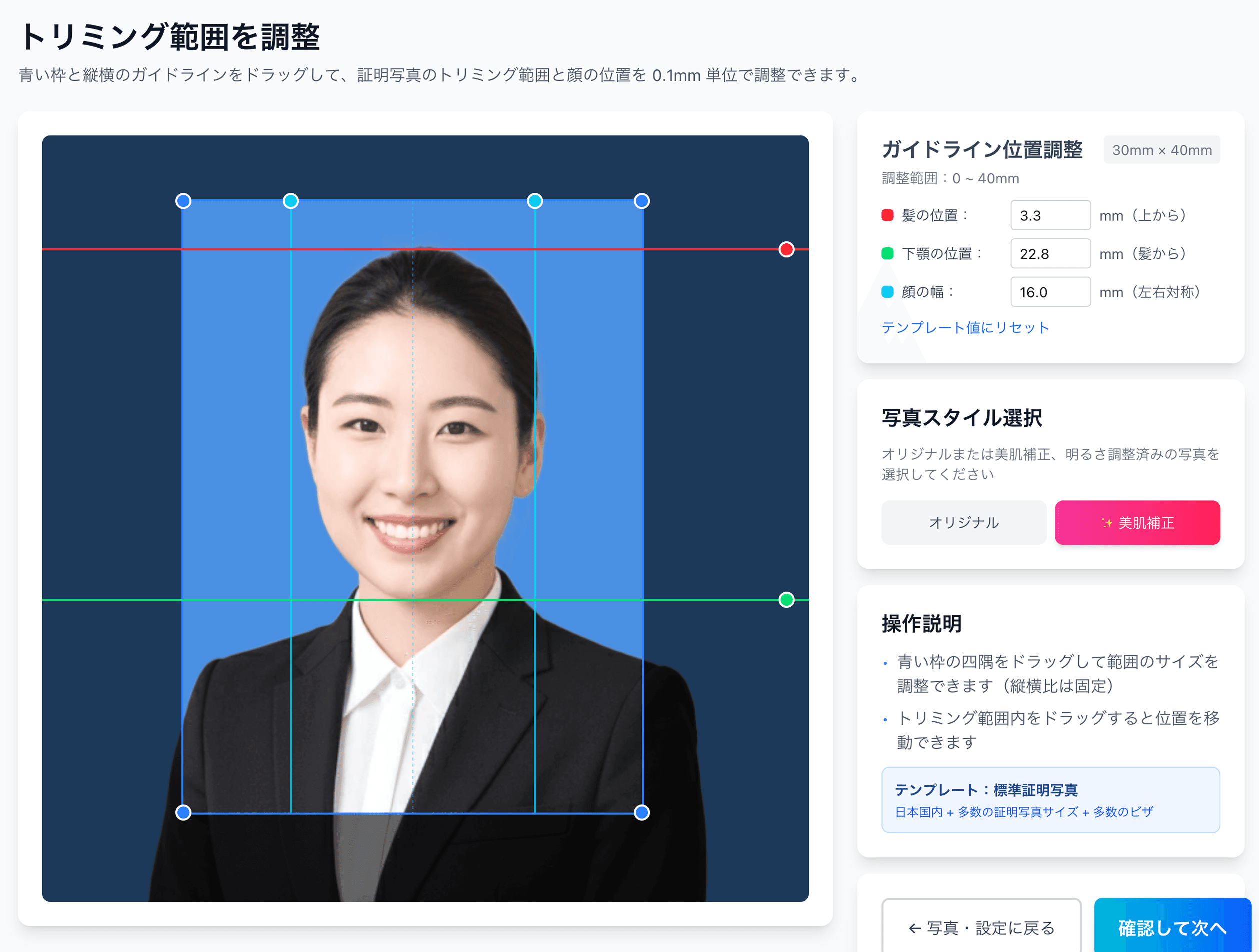
The “3.2–3.6cm from the top of the head to the chin” face dimension works out to the face occupying 71–80% of the photo’s 4.5cm height. Cropping it to match by hand is fairly demanding, so adjusting it with a tool that supports numeric specs is the realistic approach. The full details of the spec are gathered on the takken exam photo spec page.
Doing it all on your phone in 3 steps
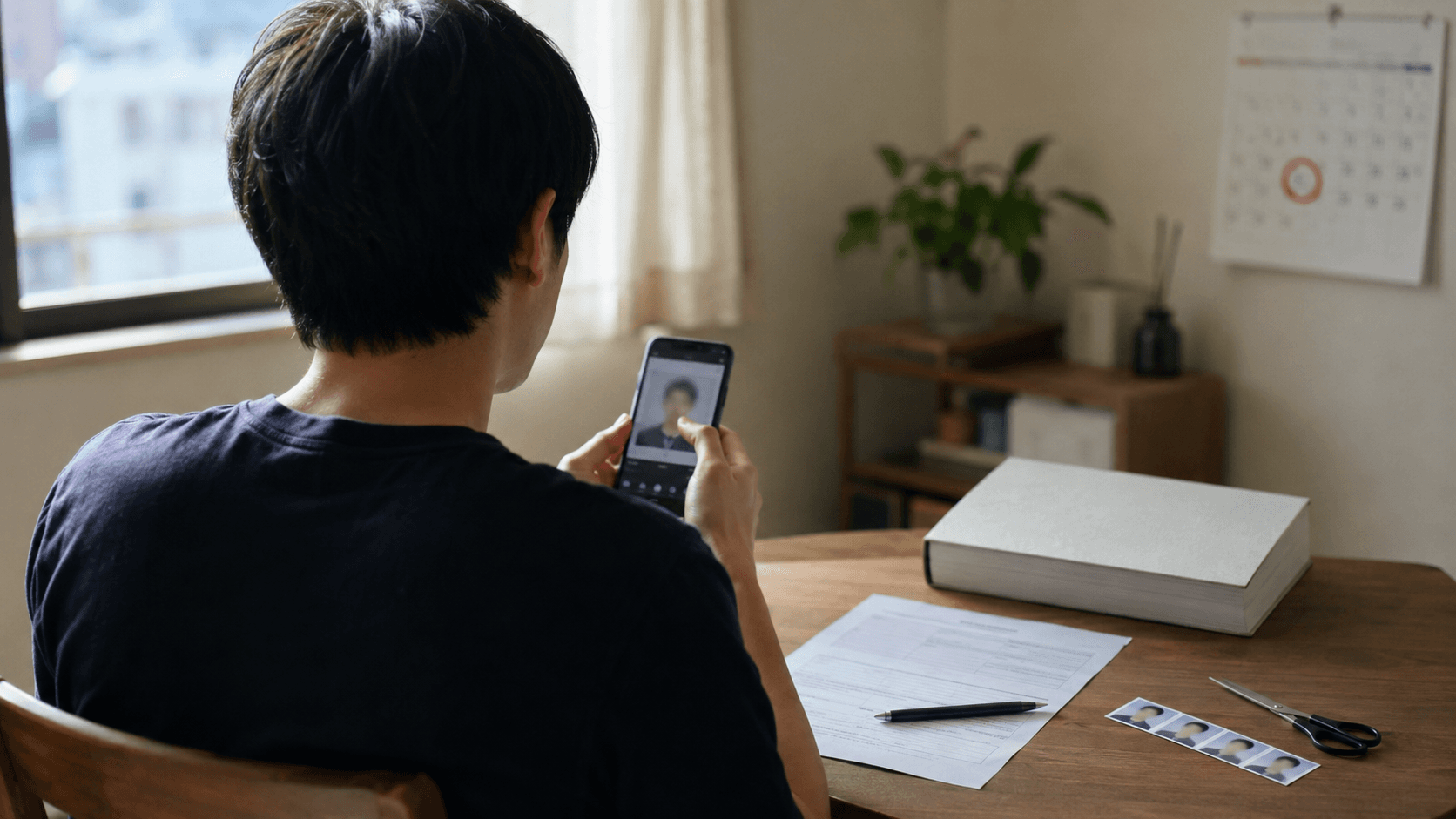
Even without going to a photo studio, you can prepare a photo that meets the official criteria on your phone. A single piece of data covers both the online and the postal application.
- 1
Shoot on your phone in front of a plain wall
During daylight, shoot from the front against a whitish, plain wall, in a spot where no shadow falls. Take off any hat and keep your hair off your eyes. Feel free to reshoot until you’re happy with it. - 2
Remove the background and adjust the face position with AI (check it for free)
Upload your photo to Ramune and the AI removes the background. Then use the on-screen guidelines and millimeter inputs to fit the face position and size to the 3.2–3.6cm head-to-chin spec in 0.1mm steps. Checking the result is free. - 3
If you like it, ¥200 — upload for the online application, print at a convenience store for the postal one
Once you purchase, you get image data adjusted to the standard size. For the online application, just upload it as-is. For the postal application, use the automatically issued QR code to print on a convenience store’s dedicated photo paper from ¥30 for L-size, then cut it to 4.5×3.5cm and paste it on.
Your takken application photo, fitted to spec, for ¥200
With background removal and automatic adjustment to 3.2–3.6cm from the top of the head to the chin. Check the result before you pay. The same data covers both the online application upload and a convenience-store print for the postal one.
Create one to this specA final checklist before you submit
- Was it taken on or after January 1, 2026 (you’re not reusing last year’s photo)?
- Are there any shadows, objects or gradients in the background?
- No hat, facing forward, you alone? Is your hair off your eyes, and free of glare on your glasses?
- Online application: is it a JPG / PNG of at least 900px × 720px?
- Postal application: borderless 4.5×3.5cm, face 3.2–3.6cm, dedicated photo paper (sticker-style not allowed)?
- After applying: did you check your review status in My Page three business days after paying the fee?
The convenience-store printing steps (a QR code works as-is at Lawson and FamilyMart; Seven-Eleven goes via netprint) are explained in our convenience-store printing guide.
FAQ
When does the application window for the 2026 takken exam open and close?
How recently does the photo have to have been taken?
Can I apply with a photo taken on my smartphone?
What should I do if my photo errors out during the online application?
I saw a “832 × 640px” spec online — is that right?
What size in cm does the postal application photo have to be?
What happens to my application if there is a problem with the photo?
Get just the photo done before applications open
Uploading and checking the AI result is free. If you like it, ¥200 gets you both the data for the online application and the QR code for a convenience-store print.
Try it for freeFacts in this article are verified against primary official sources before publication.